Table of Contents
ToggleYou’ve probably seen a dozen wireless security cameras advertised online, but Cobra, a name more familiar from CB radios and radar detectors, has quietly entered the home security market with cameras aimed squarely at DIY installers. They’re not trying to reinvent the wheel. Instead, they focus on straightforward setups, reliable performance, and prices that won’t blow your renovation budget. If you’re weighing options for monitoring your driveway, front porch, or backyard, understanding what Cobra brings to the table (and where it falls short) can save you time, frustration, and a few return trips to the hardware store.
Key Takeaways
- Cobra security cameras offer DIY-friendly installation with 1080p Full HD video, motion detection, and two-way audio at affordable prices ($50–150 per unit) without mandatory subscription fees.
- These wireless IP cameras are designed for homeowners and renters monitoring driveways, porches, and backyards with battery life of 3–6 months, though cold weather significantly reduces battery performance.
- Motion detection uses passive infrared sensors to reduce false alerts, and select models include AI-powered person and package detection for added filtering.
- Installation requires basic tools and positioning cameras 7–10 feet high with strong Wi-Fi signal; wired and floodlight models are available for those wanting continuous recording.
- Cobra security cameras work best for budget-conscious DIY installers seeking reliable neighborhood monitoring but lack advanced smart home integration and professional monitoring services available from premium competitors.
What Is a Cobra Security Camera and Who Makes Them?
Cobra Electronics Corporation has been around since 1948, originally building CB radios and later branching into radar detectors, dash cams, and two-way radios. Their security cameras are a more recent addition, designed for residential use with a focus on plug-and-play simplicity.
Most Cobra cameras are wireless IP cameras that connect to your home Wi-Fi network and stream footage to a mobile app. They typically include rechargeable batteries, motion-activated recording, and cloud or local storage options. Unlike professionally installed hardwired systems, Cobra cameras are meant for renters, homeowners tackling their first security setup, or anyone who wants to avoid running Ethernet cables through walls.
Cobra isn’t competing with enterprise-grade systems from Hikvision or Axis. They’re targeting the same audience as Ring, Blink, and Wyze, people who want reliable monitoring without a monthly subscription (though premium cloud storage is available). The cameras are manufactured overseas and sold through major retailers and Cobra’s direct channels.
One important note: Cobra security cameras are distinct from Cobra’s professional surveillance lines sometimes used in commercial settings. The residential models discussed here are consumer-grade, Wi-Fi-enabled devices designed for typical suburban lots, not warehouses or parking garages.
Key Features That Make Cobra Security Cameras Stand Out
Cobra cameras share several core features across their lineup, though specific models vary. Here’s what you’ll generally find.
Video Quality and Night Vision Performance
Most Cobra models record in 1080p Full HD, which is standard for mid-range cameras in 2026. That resolution is sharp enough to identify faces at 15–20 feet and read license plates at closer range, assuming good lighting. Some newer models offer 2K or 1440p resolution, which adds detail but also increases file sizes and bandwidth usage.
Night vision relies on infrared LEDs with a typical range of 20–30 feet. In testing, Cobra cameras perform adequately in total darkness for monitoring entryways and driveways. But, don’t expect them to illuminate a half-acre backyard, IR range is limited by the number and power of the LEDs. If you need better low-light performance, consider adding motion-activated floodlights on separate circuits. According to home security camera comparisons, pairing cameras with external lighting significantly improves nighttime footage clarity.
Color night vision (available on select models) uses a low-light sensor and ambient light to capture video in color rather than black-and-white. It works well near porch lights or streetlamps but struggles in truly dark conditions.
Motion Detection and Smart Alerts
Cobra cameras use passive infrared (PIR) sensors to detect motion. PIR sensors respond to heat signatures (people, animals, cars) rather than every leaf blowing past the lens. This cuts down on false alerts compared to older pixel-change detection.
You can adjust motion sensitivity and set detection zones within the app to ignore high-traffic areas like a busy street or a tree branch. Most models send push notifications to your phone within 2–5 seconds of detecting movement.
Person detection and package detection are available on some models, using basic AI to distinguish between a delivery driver and a passing dog. It’s not foolproof, expect occasional misidentifications, but it’s a useful filter if you get dozens of alerts daily.
Two-way audio lets you speak through the camera’s built-in speaker. Audio quality is clear enough for short conversations (“Leave the package by the door”), though there’s a slight delay typical of Wi-Fi cameras.
How to Install Your Cobra Security Camera: A DIY-Friendly Setup
Installation is straightforward for most Cobra models, especially battery-powered units. Here’s the typical process.
Tools and Materials Needed:
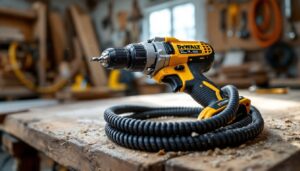
- Power drill with 3/16″ masonry bit (for brick/stucco) or standard wood bit
- Phillips head screwdriver
- Pencil for marking holes
- Level (a torpedo level works fine)
- Ladder (if mounting above 7 feet)
- Mounting bracket and screws (included)
- Safety goggles (required when drilling overhead)
Step-by-Step Installation:
- Download the Cobra app (iOS or Android) and create an account. Charge the camera fully before mounting.
- Choose your location. Mount cameras 7–10 feet high to balance coverage and deterrence. Avoid aiming directly at the sun or bright lights, which can wash out footage. Check Wi-Fi signal strength at the location using your phone, cameras need at least two bars for reliable streaming.
- Mark mounting holes. Hold the bracket against the wall, use the level to ensure it’s straight, and mark screw holes with a pencil.
- Drill pilot holes. For wood siding, drill straight in. For brick or stucco, use a masonry bit and wear goggles, chips will fly. Insert anchors if provided.
- Attach the bracket with the included screws. Tighten firmly, but don’t over-torque and strip the holes.
- Snap the camera onto the bracket. Most Cobra models use a magnetic or twist-lock mount.
- Pair the camera by scanning the QR code on the camera or in the manual. Follow the app prompts to connect to your Wi-Fi network. Use your 2.4 GHz network, not 5 GHz, most budget cameras don’t support 5 GHz bands.
- Adjust the angle and test motion detection by walking through the frame.
Wired vs. Battery Models:
If you’re installing a wired Cobra camera, you’ll need to run a weatherproof power cable to an outdoor outlet or through a wall to an indoor receptacle. Drilling through exterior walls requires a long spade bit (typically 3/4″ to 1″) and sealing the hole with silicone caulk to prevent water infiltration. This is more invasive but eliminates battery changes.
Permit and Code Considerations:
Residential security cameras typically don’t require permits, but check local regulations if you’re mounting cameras that capture your neighbor’s property or public sidewalks. Some HOAs restrict visible security equipment.
Many smart home product reviews emphasize that camera placement matters as much as the camera itself, position units to cover entry points and high-value areas like garages.
Cobra Security Camera Models: Which One Fits Your Home?
Cobra’s camera lineup changes periodically, but here are the typical categories you’ll encounter.
Battery-Powered Wireless Cameras:
These are the most popular for DIY installs. Expect 3–6 months of battery life per charge, depending on motion activity and temperature. Cold weather (below 32°F) significantly shortens battery life, lithium-ion cells lose capacity in freezing conditions. If you live in a cold climate, consider hardwired models for outdoor use.
Wired Cameras:
These plug into standard 120V outlets (or use Power over Ethernet on some models). They offer continuous recording without battery swaps but require accessible power.
Floodlight Cameras:
Combine a motion-activated LED floodlight (1,500–2,000 lumens) with a camera. These replace existing outdoor floodlights and require connecting to your home’s electrical wiring. If you’re comfortable replacing a light fixture, you can install one yourself. Otherwise, hire a licensed electrician, working with live 120V circuits is dangerous without proper training and PPE.
Doorbell Cameras:
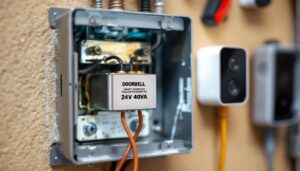
Cobra’s video doorbells replace traditional wired doorbells. Installation involves connecting low-voltage doorbell wiring (typically 16–24V AC) or using the included rechargeable battery. If you have an existing mechanical chime, you may need to install a resistor or bypass module to prevent buzzing, follow the instructions carefully.
Resolution and Storage Options:
Most models offer local storage via microSD card (up to 128GB or 256GB) and optional cloud storage subscriptions. Local storage is free but limits playback to footage saved on the card. Cloud plans (typically $3–10/month per camera) provide longer retention and remote access to clips even if someone steals the camera.
Pros and Cons: Is a Cobra Security Camera Right for You?
Pros:
- Easy DIY installation. No drilling required for battery models, and wired models use standard mounts.
- No mandatory subscription. Local storage via microSD card works without monthly fees.
- Decent video quality. 1080p is sufficient for identifying people and vehicles at typical residential distances.
- Reliable motion detection. PIR sensors reduce false alerts compared to basic pixel-change systems.
- Affordable pricing. Cobra cameras typically cost $50–150 per unit, undercutting premium brands.
Cons:
- Limited smart home integration. Cobra cameras don’t natively support Google Home, Amazon Alexa, or Apple HomeKit on all models. Check compatibility before buying if voice control matters to you.
- Battery life in cold weather. Rechargeable batteries struggle below freezing, requiring more frequent recharges in winter.
- Basic AI features. Person and package detection work but aren’t as accurate as higher-end systems from Nest or Arlo.
- App experience. User reviews note occasional lag and fewer customization options compared to competitors. Updates have improved stability, but it’s not the smoothest interface.
- No professional monitoring option. Unlike Ring or ADT systems, Cobra doesn’t offer 24/7 professional monitoring services.
Who Should Buy Cobra Cameras?
Cobra cameras suit homeowners who want reliable, no-frills monitoring without subscriptions or complicated setups. They’re a solid choice for monitoring driveways, side yards, and entry points on a budget.
Who Should Look Elsewhere?
If you need advanced AI, tight smart home integration, or professional monitoring, consider alternatives. Brands like Ring, Arlo, and Eufy offer more features at higher price points. According to home tech trends, smart home ecosystems increasingly favor cameras that integrate seamlessly with voice assistants and home automation routines, an area where Cobra lags.
Cobra cameras won’t replace a professionally installed hardwired system for large properties or high-security needs, but for typical suburban homes and DIY-friendly homeowners, they deliver solid value without monthly fees or complex installation.